How to Use Snapchat, Once and for All: Basics for Beginners and Tricks for the Pros
Don't be scared, be a champion. 🏆

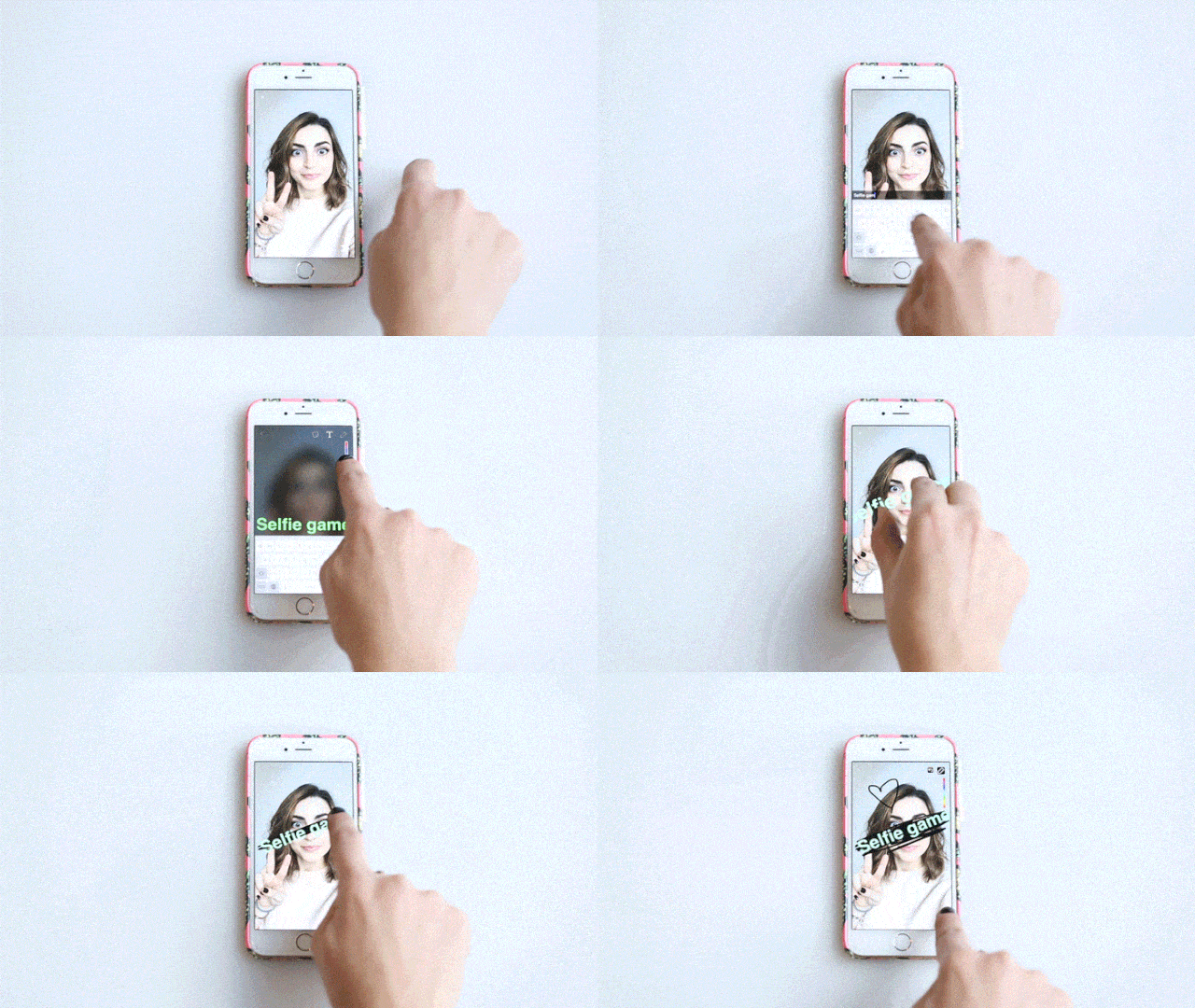
The world is made up of two kinds of people: Those addicted to Snapchat and those who feel like they should be but can't figure it out. (There is no shame in this, friends—it's basically difficult on purpose. Cool kids only.)
To explain things once and for all, from the beginner stuff to the most in-the-know tricks, we peer-pressured Hearst Snapchat expert/queen Charlotte Palermino into spilling all her secrets.
So get out your smartphone, switch on your wifi (it can be a huge data suck), and get ready to go pro.
How to: Add friends
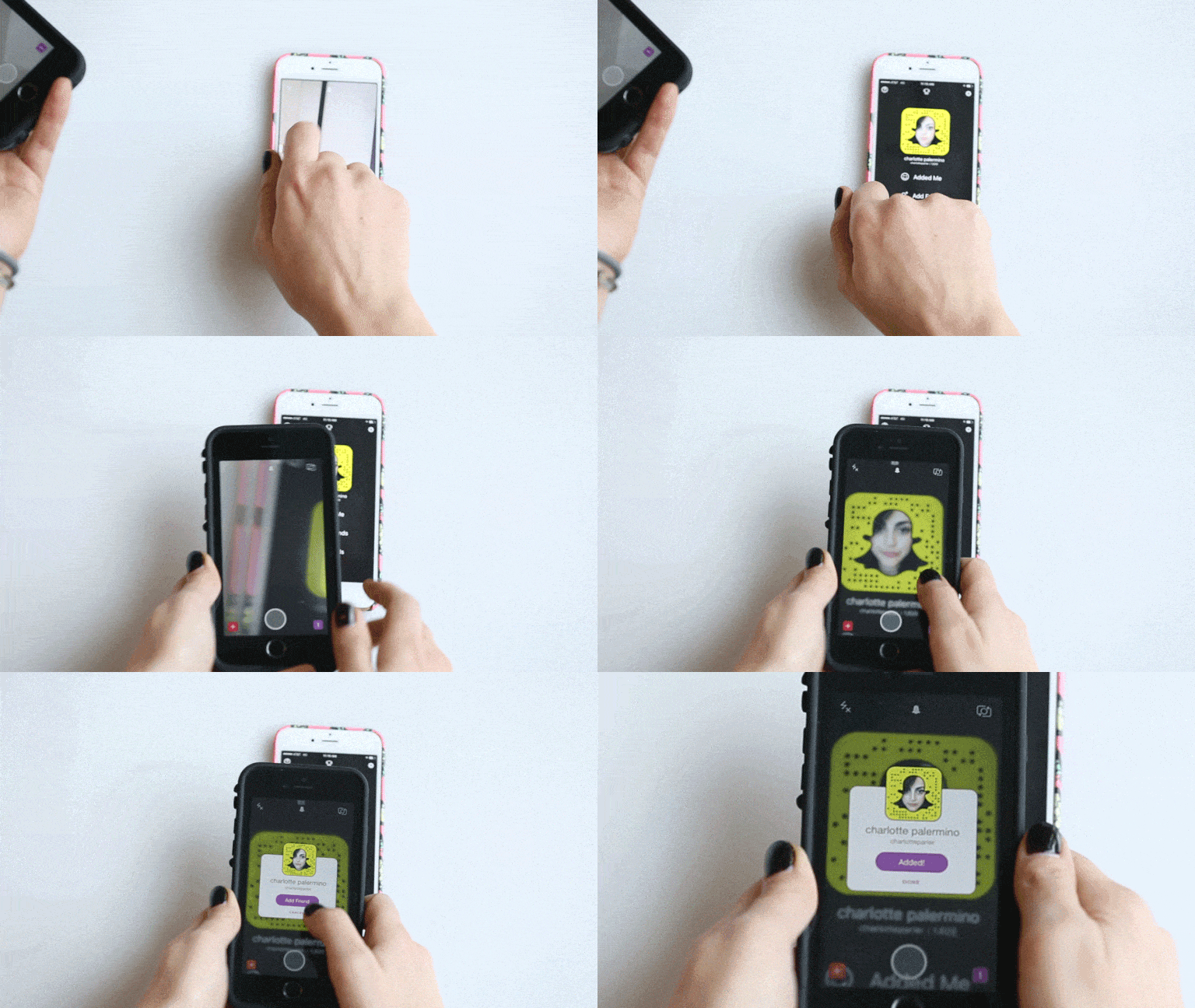
To add friends on Snapchat, open the app and click on the tiny ghost on the center top of the screen to get to your profile. There, you'll see the option to 'Add Friends.' Once you hit select, you can find friends by username, through your phone's address book, or by using their snap QR code. To add friends like a *boss* click the option 'Add Nearby,' focus your phone's camera over your friend's QR code (which is the yellow and black pattern surrounding ghost image in your profile), and click 'Add Friend' when the option pops up. To really trick out your profile, tap your QR code to add a selfie.
How to: Send a snap
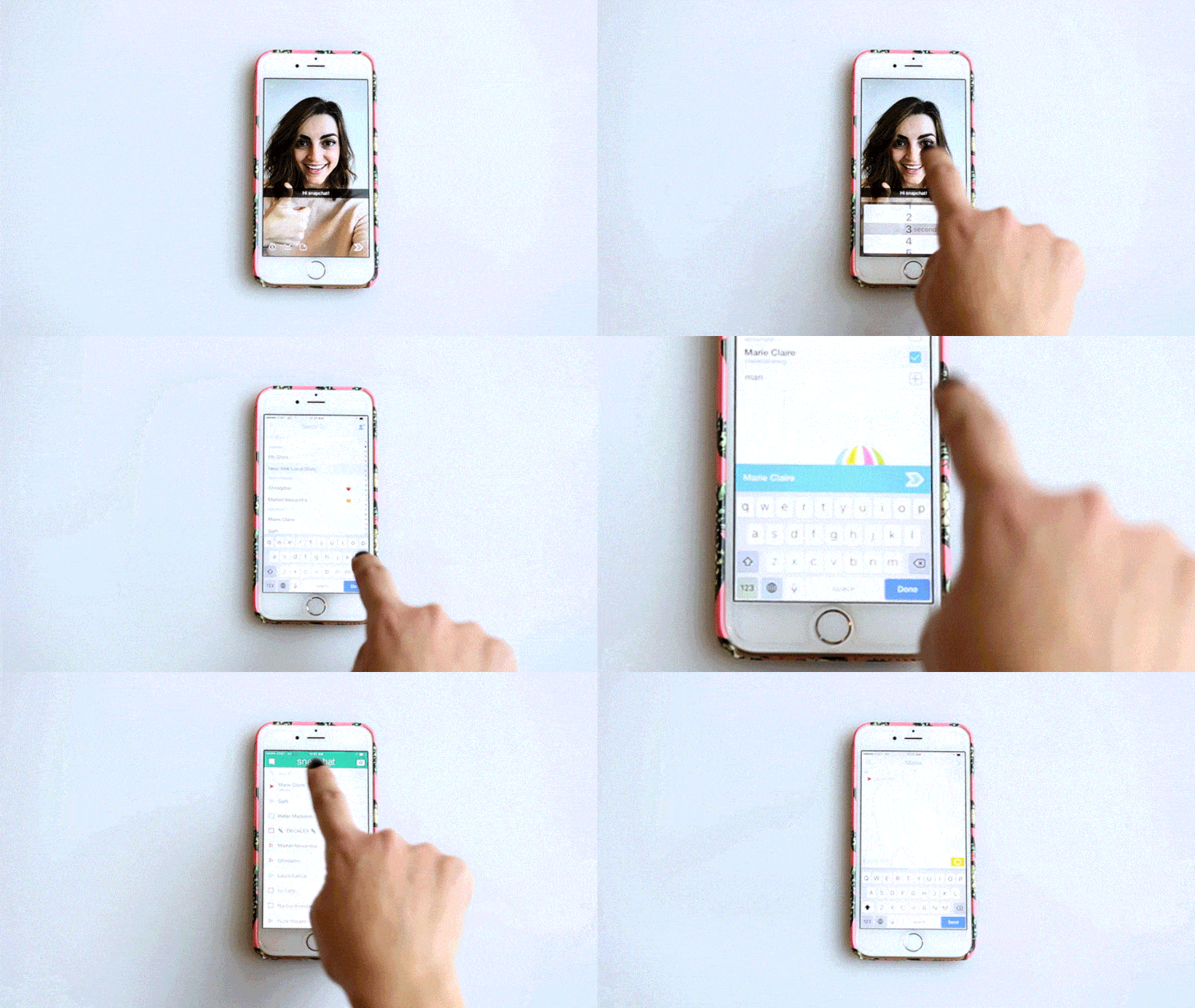
Just to cover all of the bases, here's how you send a Snap (feel free to save yourself a headache and send this article to that uncle who has been trying to get you teach him 'the social media'). Take a picture–try and make it good–and then hit the circle in the lower left corner. Select an amount of time from the screen that pops up, and then tap the arrow in lower right corner which will lead you to your snap address book. There, you can either scroll down the list to chose the lucky few who will receive your snapsterpiece, or use the search function at the top of your snap address book to find a contact.
How to: Add to your story
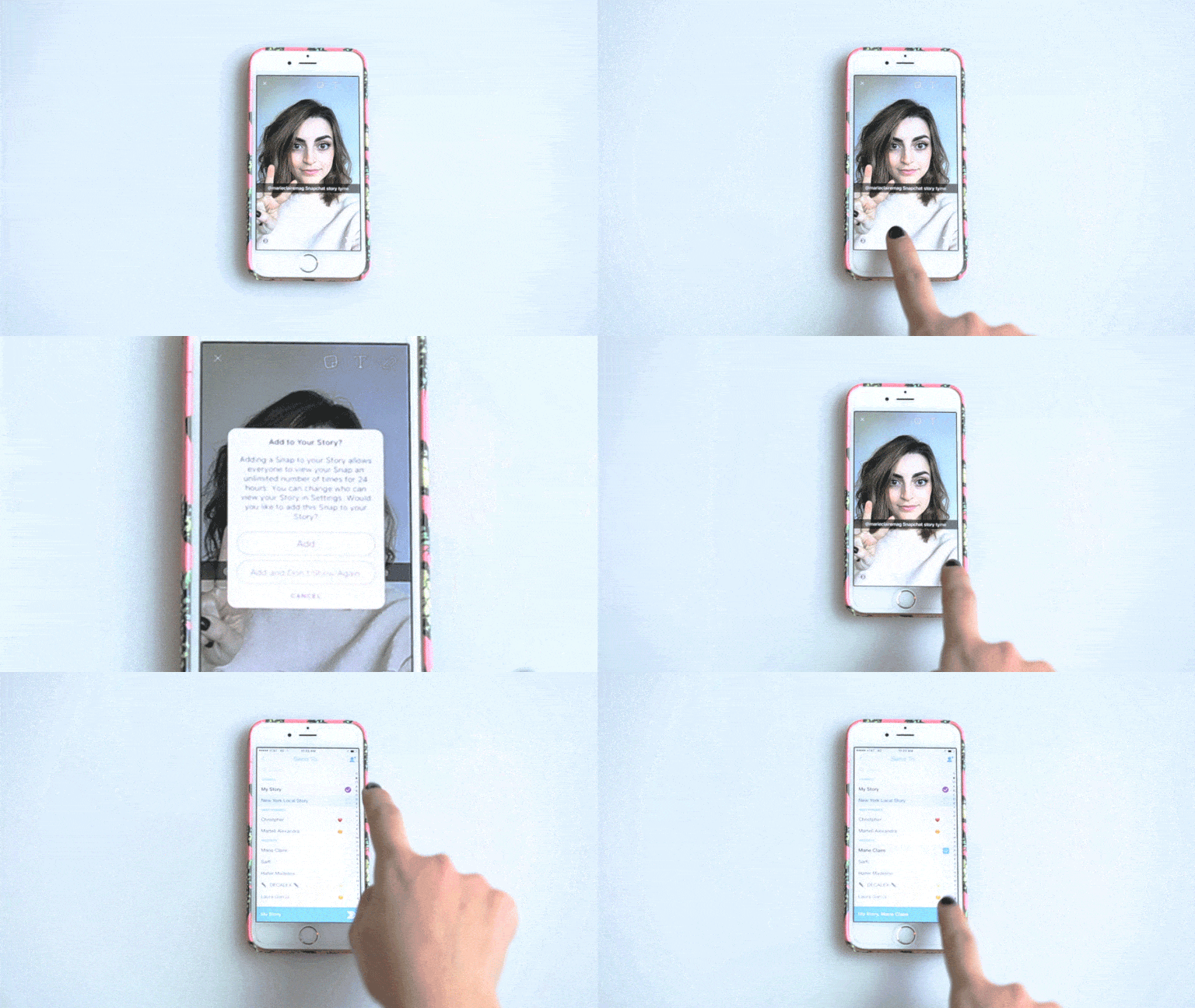
So you got the money shot, sent it to your squad, but still feel like it needs to be *seen*–this is where your snap story comes in. You can add to your story directly from the snap screen by hitting the button at the bottom that looks like a square with a plus sign inside, or you can click on the arrow in the lower right of the screen and send the snap to 'My Story' in addition to all of your friends. If you are really feeling that dimly lit image of your brunch (#artsy), you can submit the snap to your city's local story, an option right under 'My Story' in your address book. A local story is a collection of the best submitted snaps of the day in that location, though it's not available in not all cities. If you're itching to get others to view your story, post a couple of times a day. The more you post, the higher up you get in people's feed, so people are more likely to see your story.
How to: Use colors
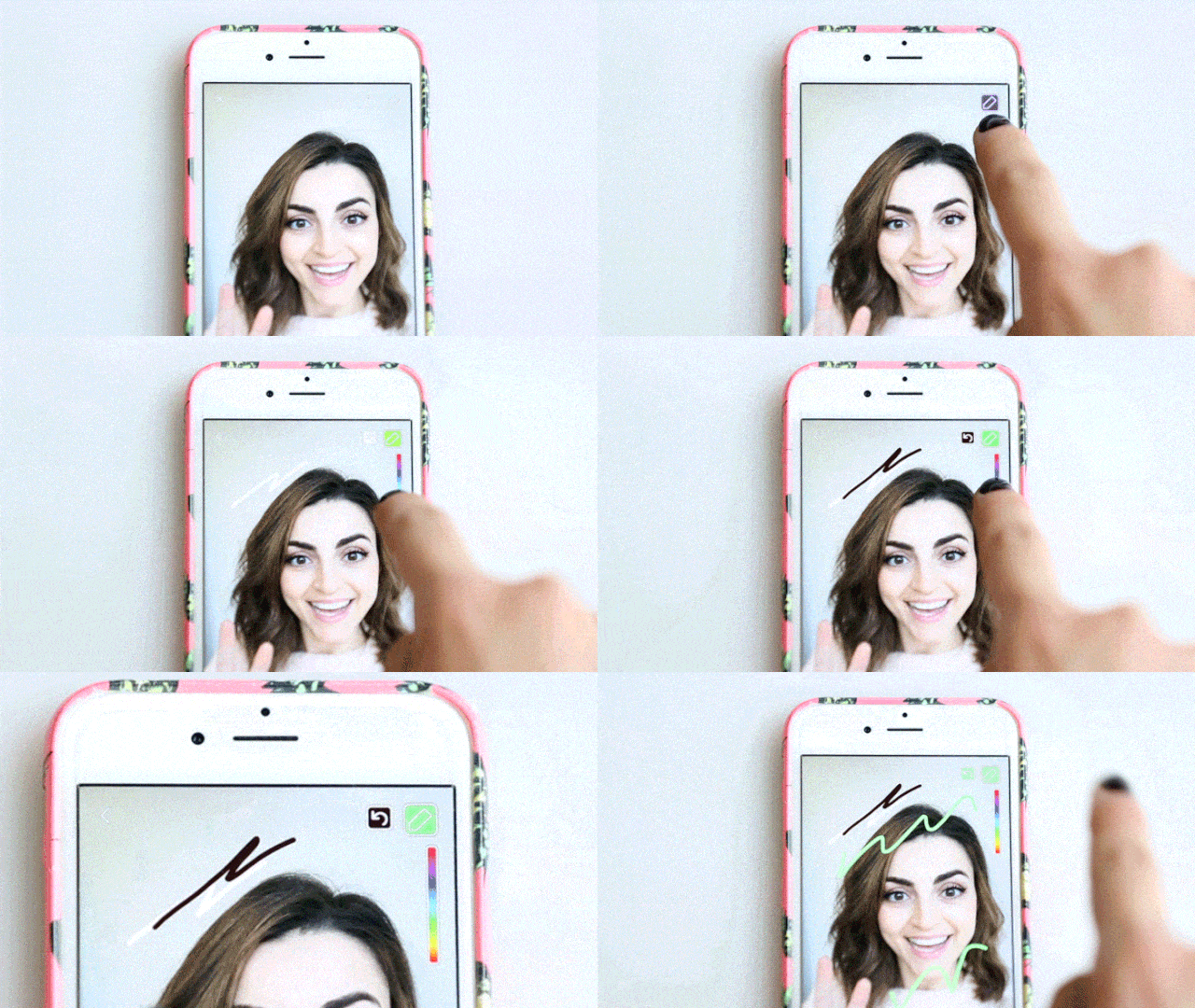
Sure, we all know how to hit the pencil image in the top right of the snap screen to start drawing directly on your snap, but sometimes you just need to express yourself through more hues than those in that tiny color scale. So when you get those moody feels, you can drag your finger to the top of the screen to get white or to the bottom of the screen for black. Not enough for your artistic vision? To get pastels, select the base color you want on the scale and drag your finger to the left to get different shades. (Note to self: Remember this tip for an inspired 50 Shades of Grey snap.)
How to: Use text
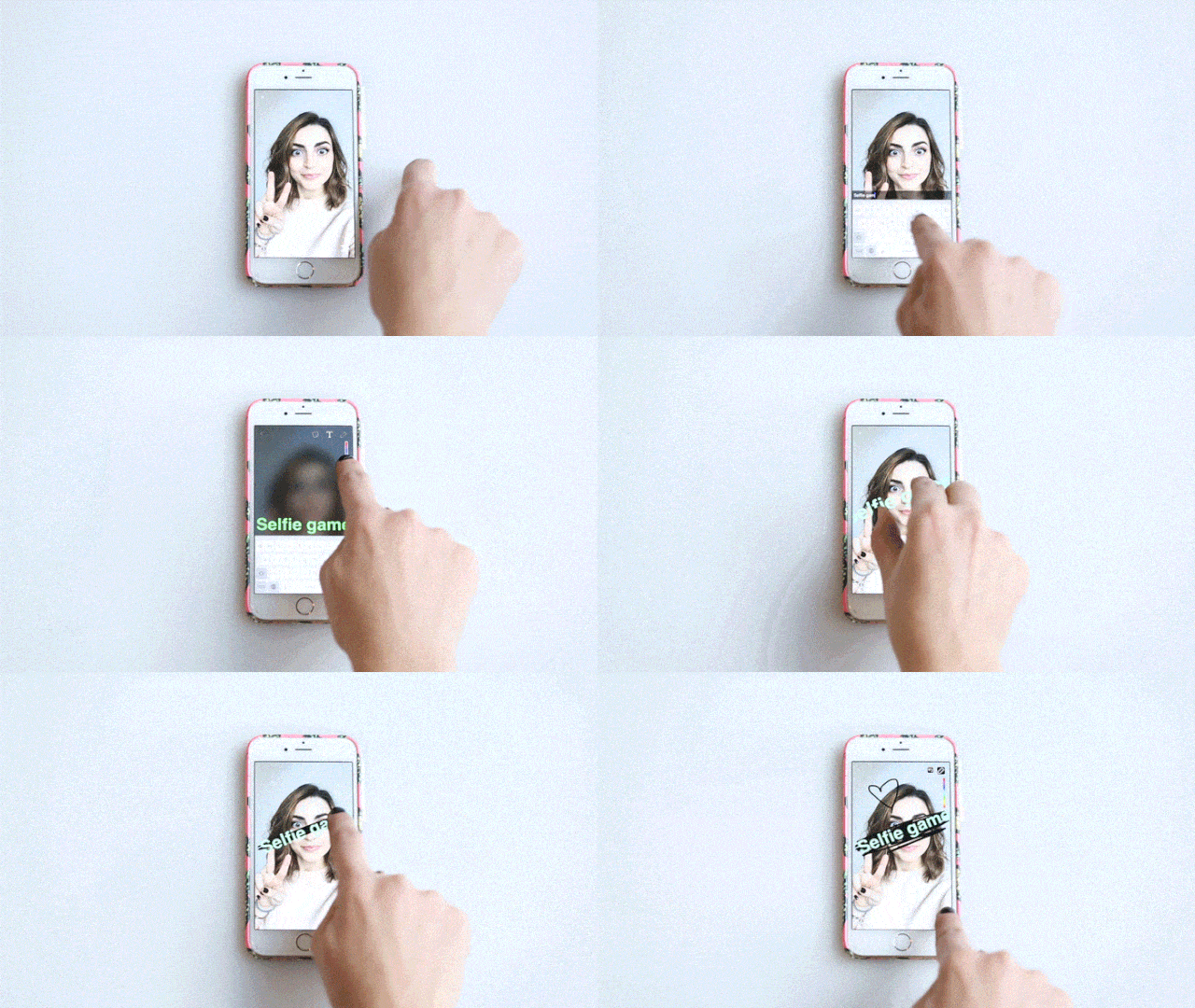
When a snap needs context, hit the snap screen once to add text or tap on the T icon on the top. You can either keep your profound musings in the text bar, or hit the T again to make the wording freestanding. Once you do that, you can get all sorts of creative. Change the color of your letters using the same color tricks as above, and move around and change the size of your text by playing around with pinching, zooming, and dragging your words. Pro tip: color behind your text to make it really pop (the drawing tool will always go behind your text).
How to: Get double text lines
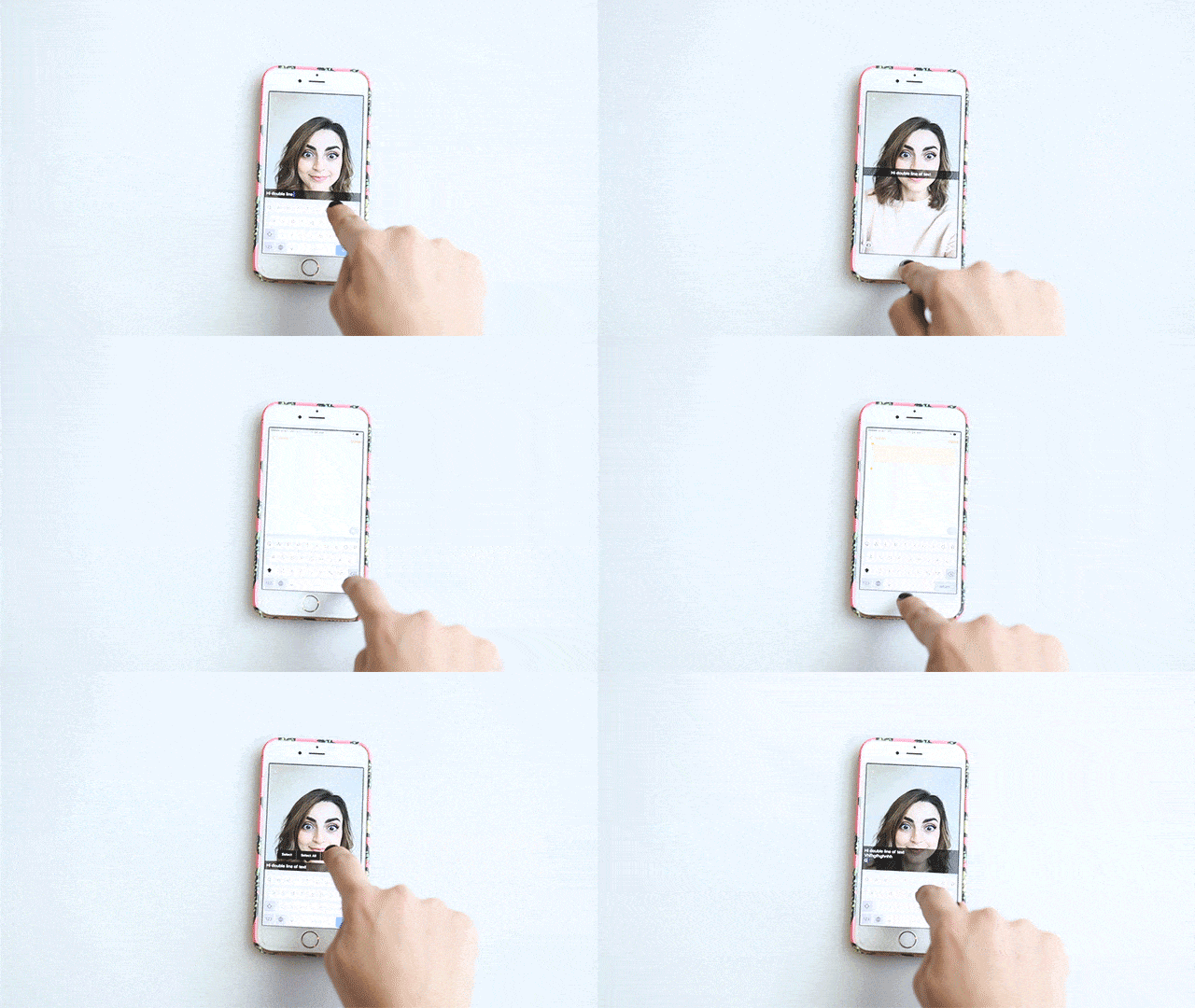
Typically, Snapchat limits you to one line of text, but if you have a lot more to say about the selfie that you are about to send (and how could you not?), there is a sneaky way to get more space. Exit Snapchat to go into your notes and hit the enter button a few times, then hit select all and copy all of that blank space. Now, go back into your Snapchat app and paste it to keep writing to your heart's content.
How to: Add stickers
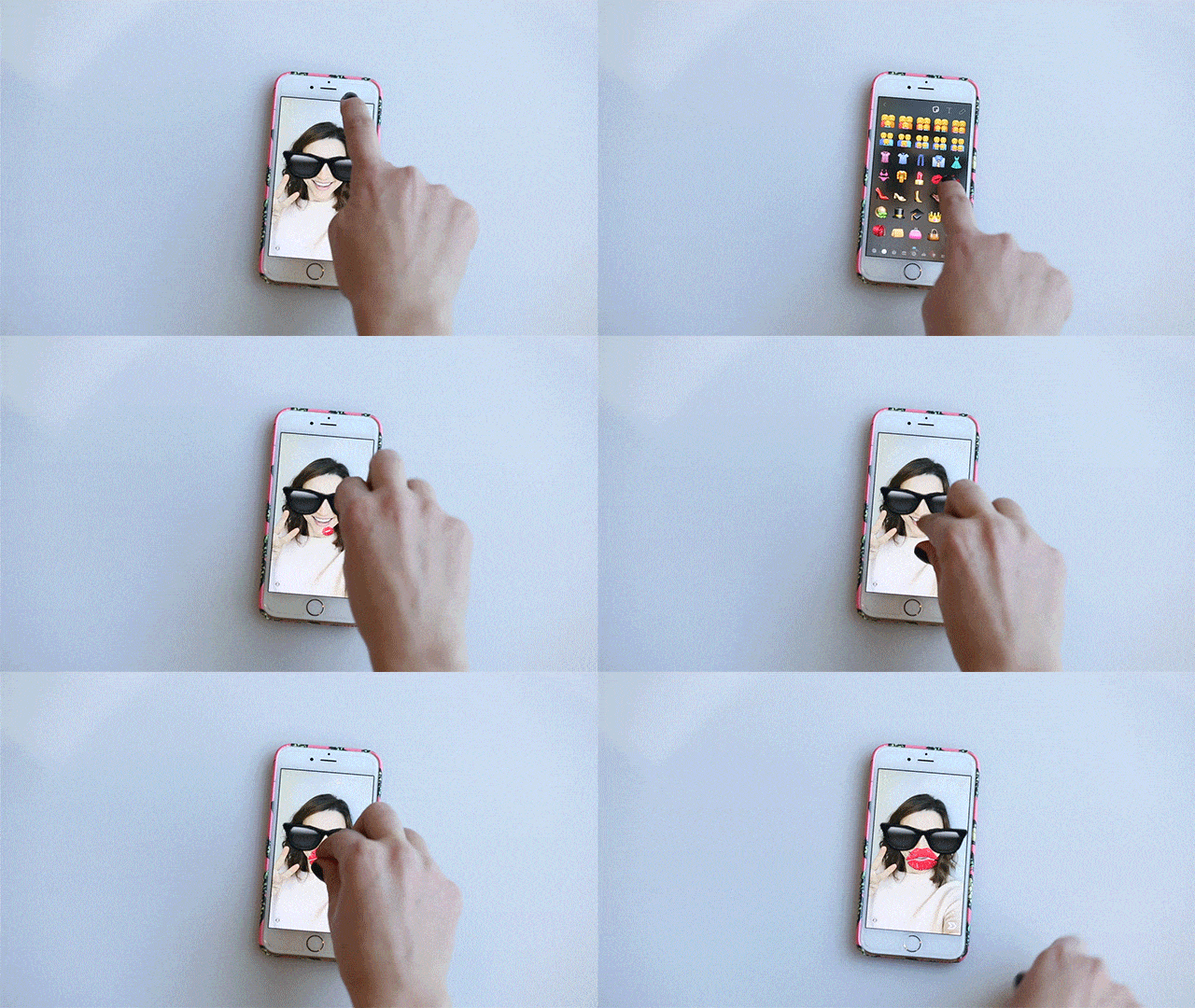
You know what they say: A picture on a picture is worth way more than a thousand words. So, to add emojis to your snap, click on the square looking button next to the text icon. You can pick from all the different emojis that you want, the sizing and angles can be manuouated by pinching and zooming the emoji (à la playing with text) and you can add as many as you want, thankfully.
How to: Use filters
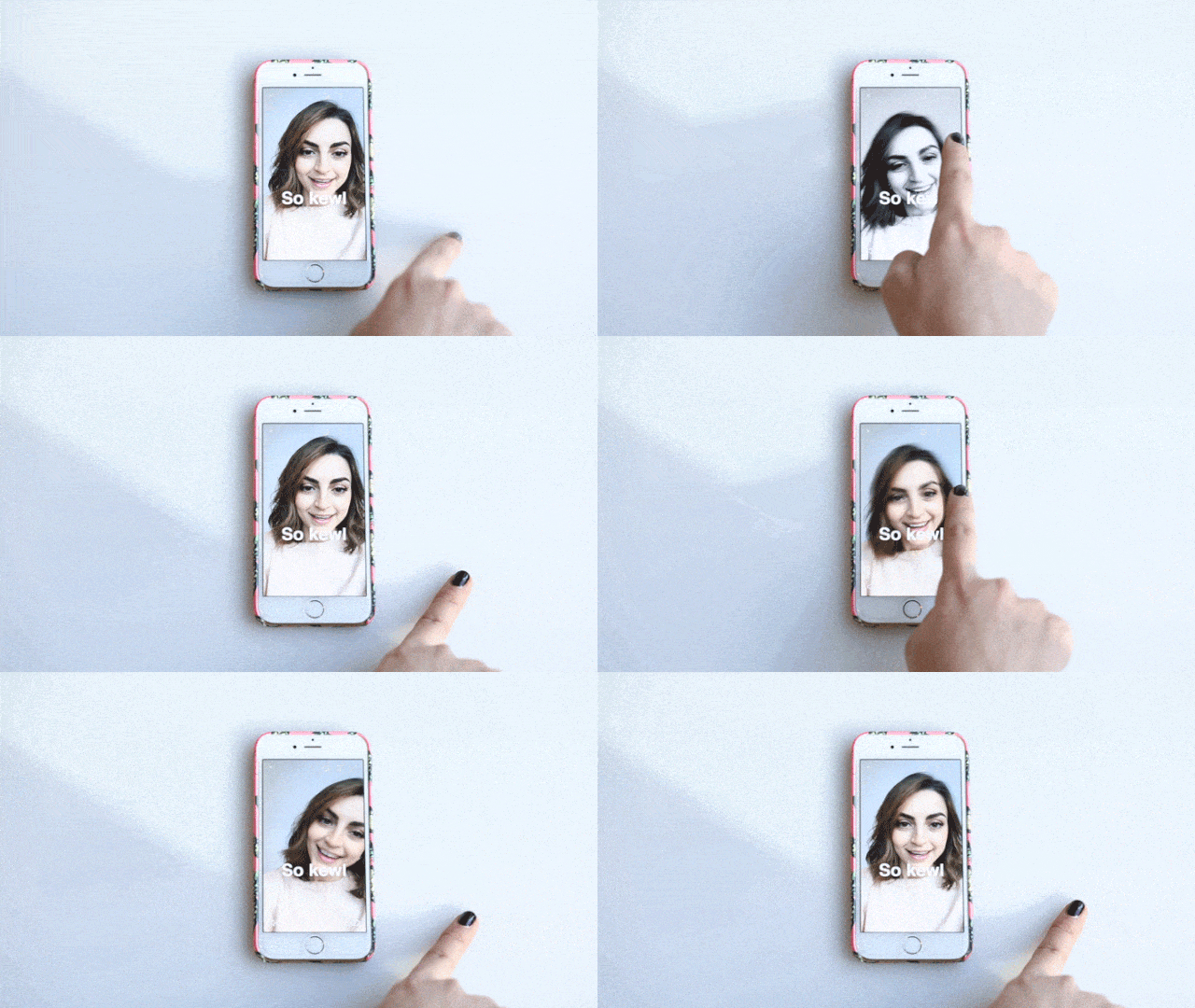
Filters: flattering on Instagram, fun on Snapchat. To get filters on snap photos and videos, the first thing that you do is swipe left (😉) on your snap. If you're filtering a photo, as you swipe through you will get a few basic color options (sepia, black and white, etc.), MPH, temperature, time, geotags illustrating your location, and sponsored filters which change constantly. If you're tricking out a snap video, before the geotag you'll see a snail filter, which will slow down your whole video (voices included!), a hare filter which speeds everything up, and a filter with a few arrows which reverses your video–and can make your hair look weird, according reliable sources.
How to: Use double filters
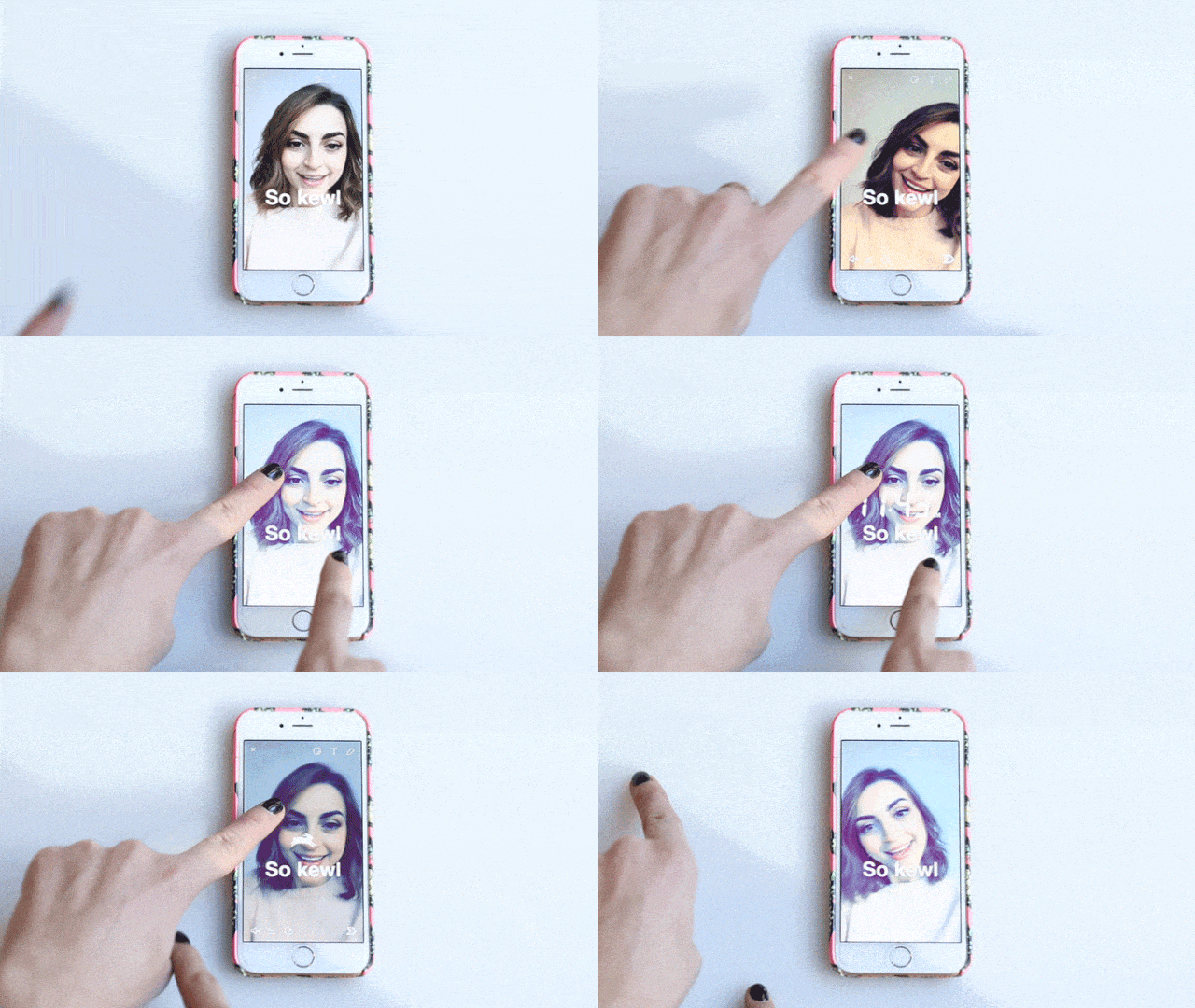
A super easy way to make your snap superior. Pick your first filter, hold down with one finger, and then continue scrolling through to add another. Boom, done.
How to: Use face filters
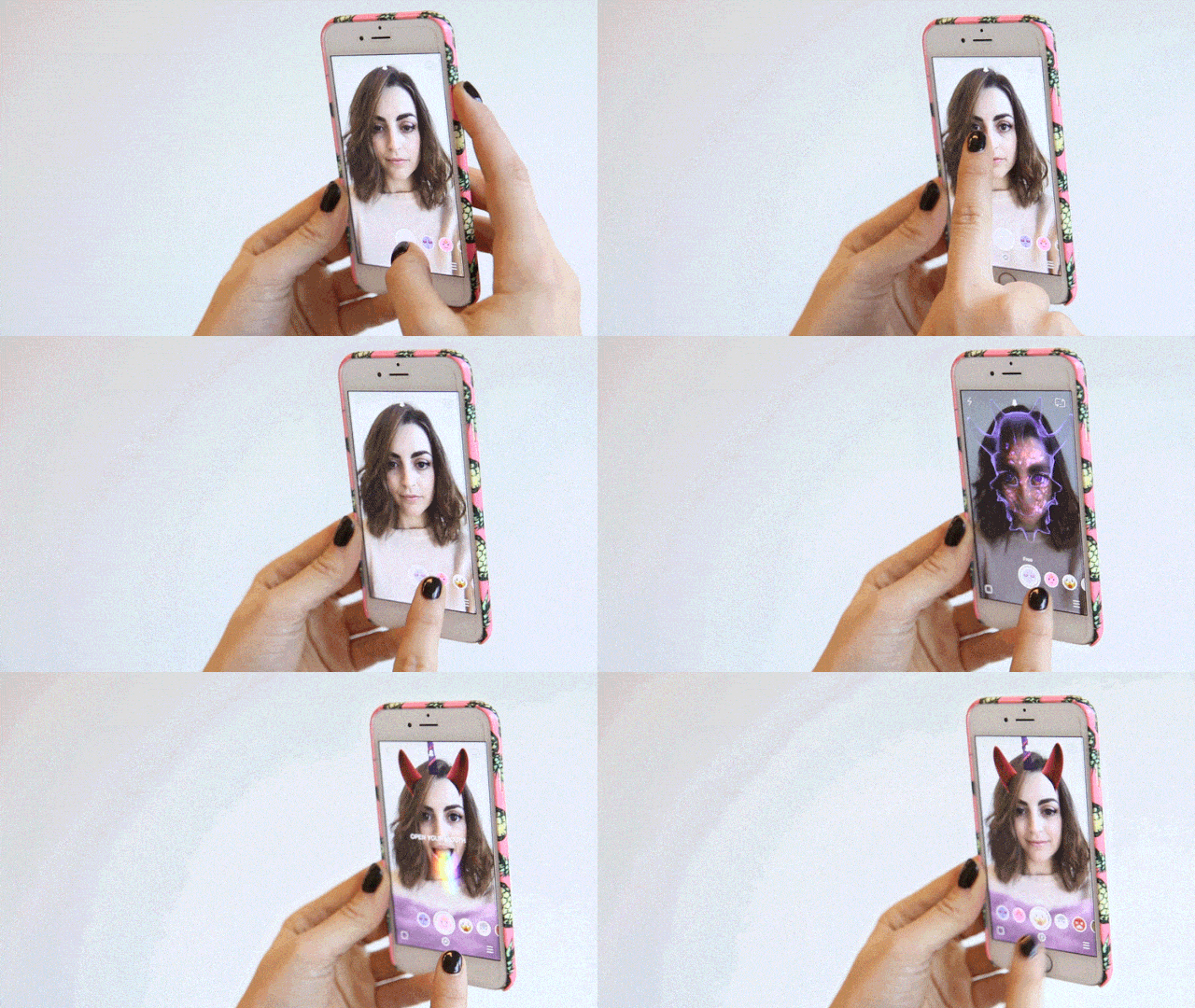
If you saw a Halloween costume that consisted of a girl painting her face to look like she vomited a rainbow, then Mazel Tov: you are already acquainted with the world of Snapchat face filters. To get this very haute couture look, tap on your face while looking into your snap screen, until a menu pops up. From there, you can scroll through the face filers, opening up your mouth when instructed for additional effects. We can't guarantee that all of these will be flattering. Some face filters are in-app purchases, so you'll have to asses your priorities to see if you'll be spending that .99¢.
How to: Add music
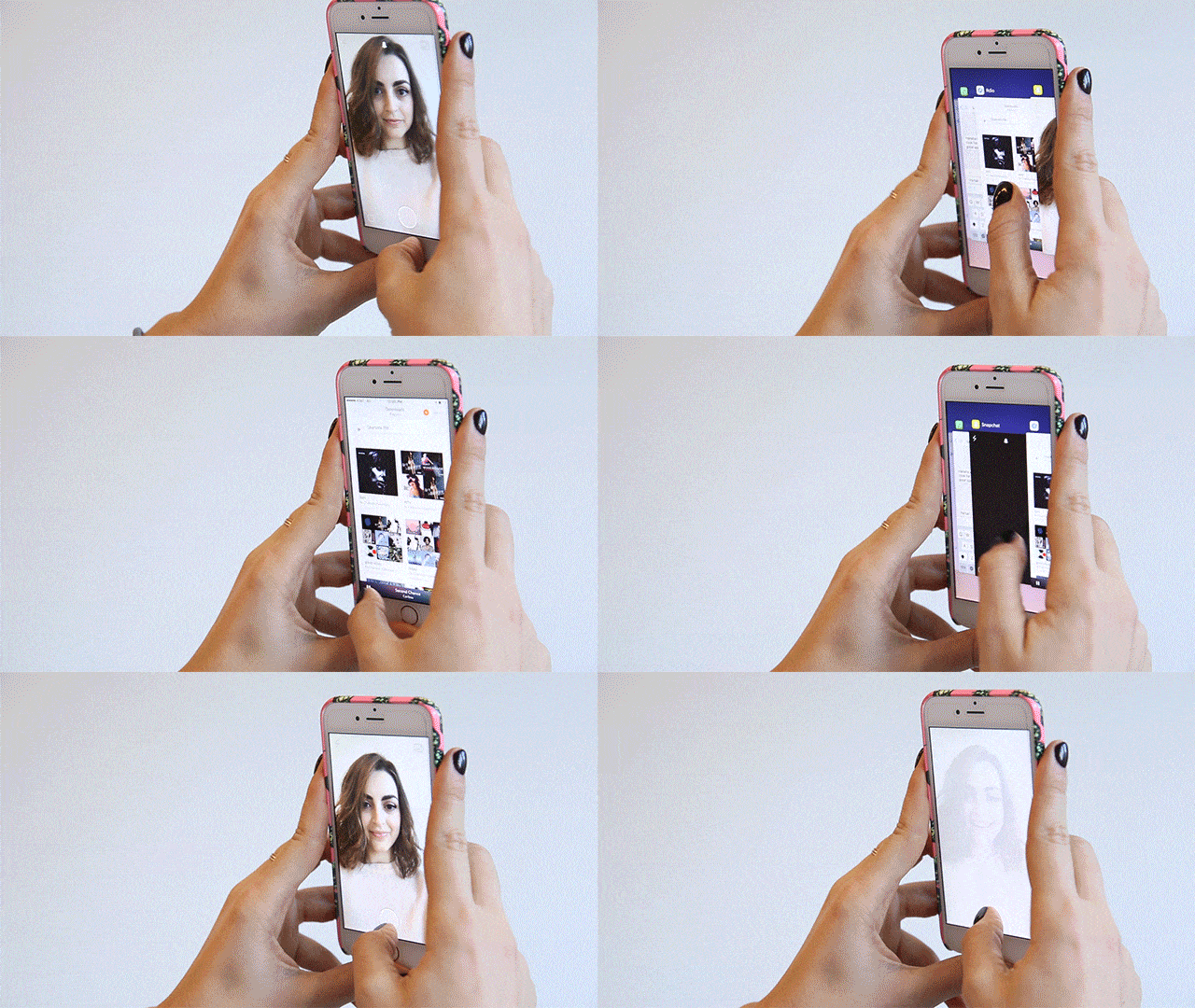
Here's how to make your dreams of creating a Snapchat music video a reality: Go to your music app of choice and start playing the music, then go back into your snapchat and take a video as you normally would. It's very manual right now, and rumor has it that Snapchat is planning on rolling out an in-app music feature.
How to: Save snaps
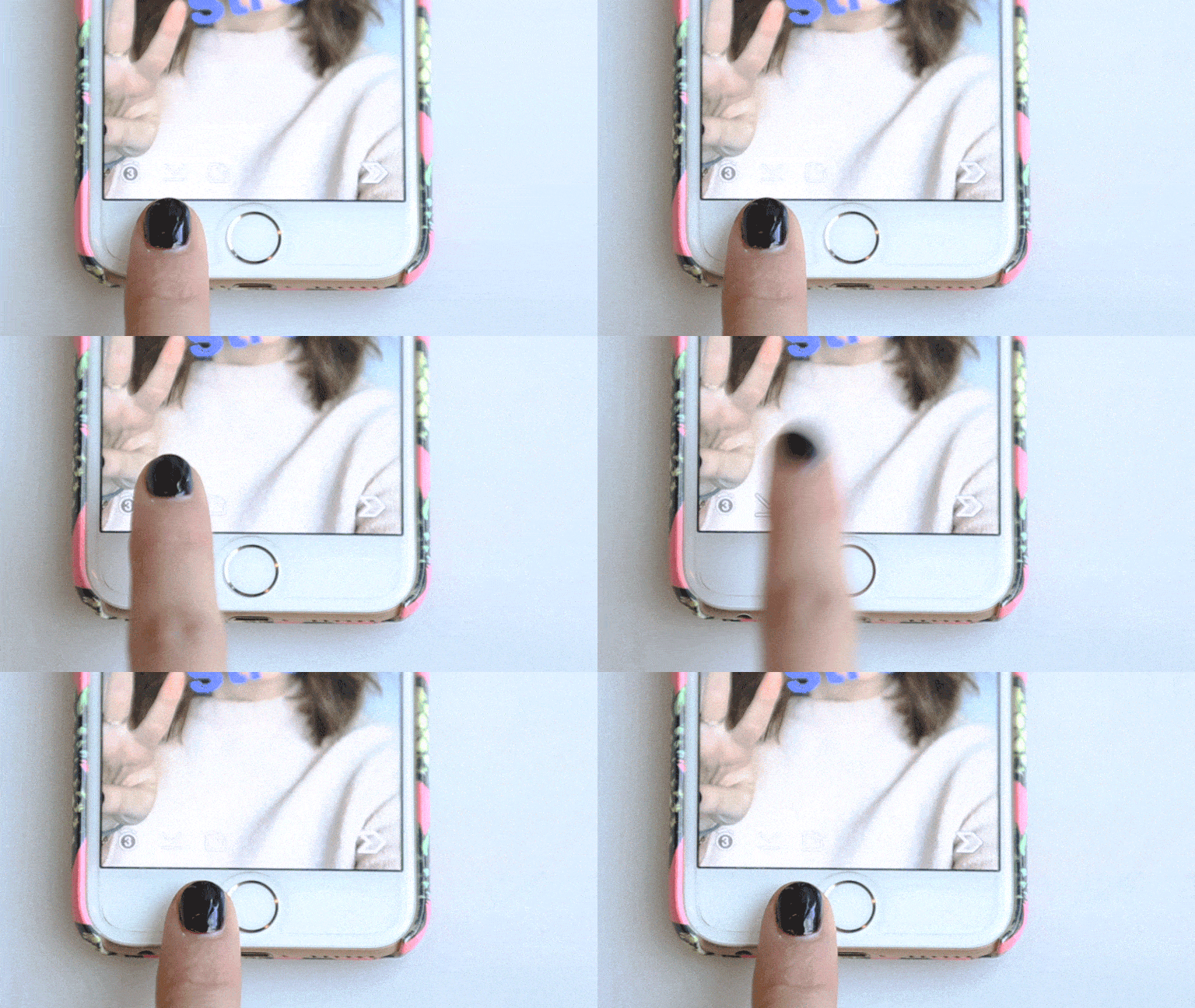
You just made a bonafide masterpiece (that angle! that lighting!), and you're just going to let it disappear after 10 seconds of sending it to your friends? We don't think so. To save your works of art hit the downward facing arrow button on the bottom left of the screen. Now it's saved to your camera roll, ready to be texted or Instagrammed as needed.
For more snaptastic inspo, follow @marieclairemag on Snapchat!

